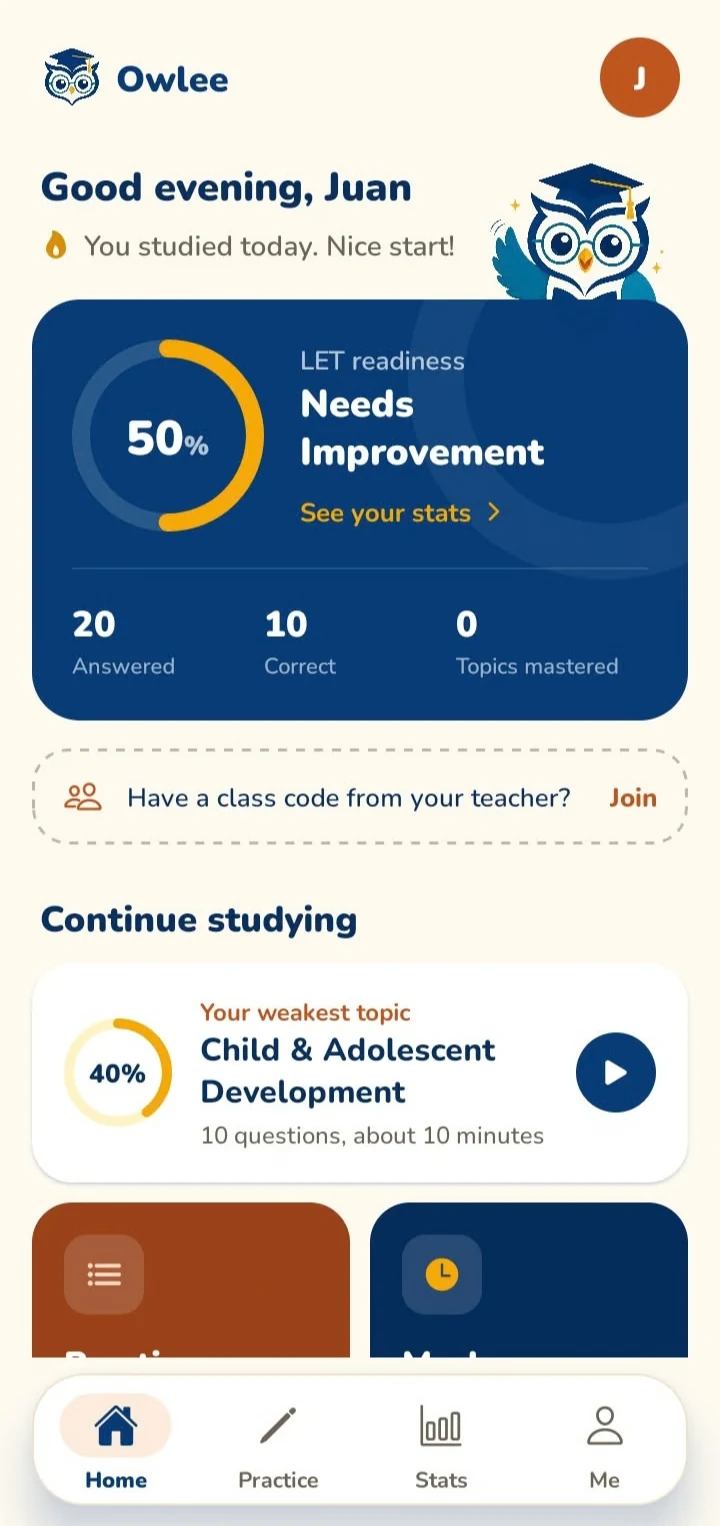
Owlee is an Android reviewer for future teachers. Practice by topic, take timed mock exams, and see exactly which areas need more work. Most of it runs without internet.
Every answer updates your mastery for that topic. Owlee sorts your topics into four levels so you can stop re-reading what you already know.
Critical0–39%
Needs improvement40–59%
Developing60–79%
Strong80–100%
Practice by topic
Ten-question quizzes with an explanation after every item, so a wrong answer still teaches you something.
Mock exams
Timed sets that mix topics the way the board exam does. Review every answer when you finish.
AI recommendations
After you've answered at least 10 questions in 3 topics, Owlee can read your results and suggest a study plan. You get up to 20 AI requests a day.
Focus mode
Keeps your screen awake and hides everything except the question while you answer.
Topics covered
Child & Adolescent Development
Teaching Profession
Curriculum Development
Assessment of Learning
Educational Technology
Filipino Language
English Language
Mathematics
Science
Social Studies
MAPEH
Values Education
User guide
How to set up Owlee and use each mode. If something here doesn't match what you see, tell us.
Getting started
Install Owlee from Google Play on an Android phone running Android 7.0 or newer.
Choose your path. Pick Self-Study, Join a Class, or Teacher. This only decides where the app opens; you can change it later.
Set up your profile. Enter your name, course, and target exam date. Owlee uses the date to pace your review.
Answer your first quiz. Open Topics, pick one, and start. Your mastery scores appear after the first few answers.
Self-Study
Self-Study works fully offline except for the AI features. Everything you answer is saved on your phone.
Topics lists all 12 areas with your current mastery level. Tap one to start a practice quiz.
Mock exam builds a timed set across topics. When time runs out, unanswered items count as wrong.
Progress shows your scores over time and which topics are weakest.
Home suggests one next step, such as a topic to practice or a mock exam to try.
Reset in your profile erases all local progress. This can't be undone.
Joining a class
Get the class code from your teacher. It's 6 letters and numbers.
Choose Join a Class and sign in, or continue without an account.
Enter the code. Your class and its published sets appear on Home.
Answer a set. Your score is sent to your teacher when you finish. If you're offline, try again once you're connected.
Teacher Studio
Create a teacher account and start the free trial, or enter a premium code if you bought a plan.
Create a class. Owlee gives you a class code to share with your students.
Upload a PDF of your handout or reviewer. It must contain real text; scanned images of pages can't be read yet.
Generate questions for a topic, and optionally a learning outcome. Owlee writes questions using only what's in your file.
Review the drafts. Each question shows whether it closely matches your material. Drop any you don't want.
Publish the set to your class, then open Results to see each student's score.
AI features and limits
AI recommendations and quiz feedback need an internet connection. They unlock once Owlee has enough of your answers to base suggestions on real results.
Unlocks after
10 answers in each of 3 topics
Daily limit
20 requests resets at midnight, Philippine time
New recommendations
After each quiz you finish
Quiz feedback
Saved so reopening it is free
AI can be wrong. Check anything surprising against your notes or reviewer.
Your data
In Self-Study, your profile, answers, and scores are stored only on your phone. We can't see them. When you use AI features, Owlee sends your first name and topic scores to its AI provider, never your quiz answers.
If you join a class or teach one, your account email, name, class membership, and class scores are stored online so your teacher or students can see them. Owlee follows the Philippine Data Privacy Act of 2012. You can delete your account any time from Profile in the app (how to delete your account). Read the full Privacy Policy.
Common questions
Is Owlee available on iPhone?
Not yet. Owlee is Android only for now.
Do I need an account?
Not for Self-Study. An account is needed to teach, and recommended when joining a class so your scores follow you to a new phone.
I lost my progress after reinstalling.
Self-Study progress lives on your phone, so uninstalling removes it. Backing up progress to an account isn't available yet.
My PDF upload failed.
Check that you can select and copy text in the PDF. Scanned pages are images and can't be read. Files that take longer than 3 minutes to process also stop; try a smaller file.
The class code doesn't work.
Codes don't use the letters O, I, or L, or the numbers 0 or 1, so check for those first. If it still fails, ask your teacher to confirm the class is open.
Pricing
Students never pay. Plans are for teachers and review centers using Teacher Studio.
Students: free
Self-Study, mock exams, AI recommendations, and joining classes are all free.